Put your virtual tour online by FTP, free
Drop the tour folder in your browser, enter the FTP access of your hosting: the files go straight to your website. No account, nothing to install, on Windows and Mac.
Open the free toolA folder or its .zip, up to 2 GB per file.
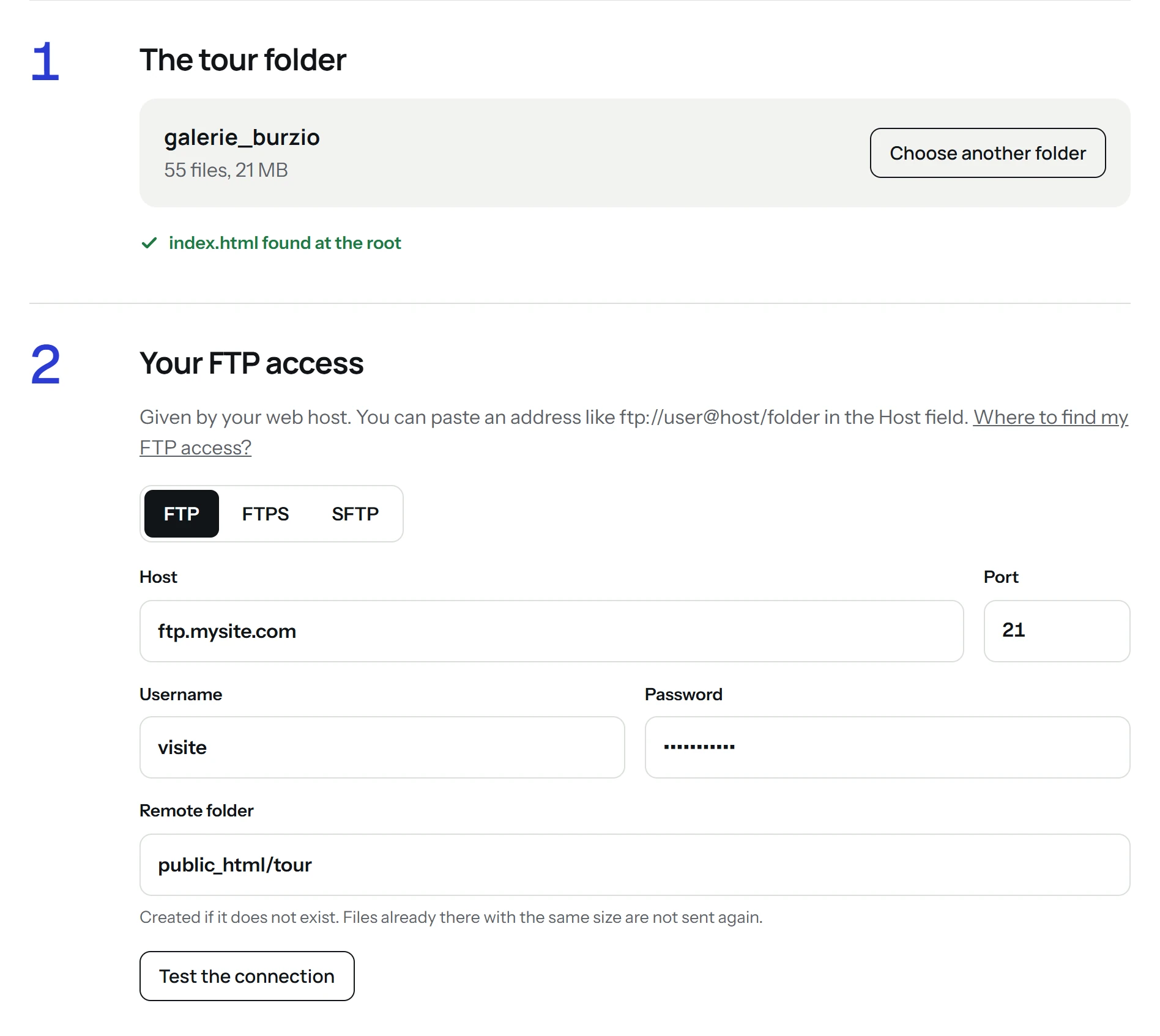
Three steps, in the browser
- 1
Drop the folder
The folder that contains index.html, or its .zip. The tool counts the files and checks that index.html is at the root.
- 2
Enter your FTP access
Host, username, password and remote folder, as given by your web host. The test tells you whether the folder exists; if not, it is created during the upload.
- 3
Send
Three files at a time, with a progress bar. Files already online with the same size are skipped, so an interrupted upload resumes where it stopped. At the end: the link of the tour and its embed code.
Any tour folder
Any tour, any HTML site
The tool sends the files as they are, without changing them: any virtual tour folder, and any site made of HTML files.
Where to find your FTP access
In the email you received when your hosting was opened: server address (host), FTP username and password.
In the customer area of your web host (or the admin of your website), FTP section: the same details are there, and you can set a new password.
The tool finds your website's folder (www, public_html…) on its own: you only give the address of your website.
Your password is not kept
- The password is used for this upload only: kept in memory during the upload, forgotten at the end or after one hour without activity. It is never written to disk or to a log.
- The files go through our server one at a time and are passed straight on to your hosting. Nothing is kept.
- The page and the upload to our server use HTTPS. The connection to your web host is encrypted whenever it allows it.
- Limits: 2 GB per file, 20 GB per upload.
Questions
Is it really free?
Yes. No account, no card. The tool is offered by Virtuaaa, a service that builds 3D tours from 360 panoramas.
Do I have to choose between FTP, FTPS and SFTP?
No. The tool connects with encryption whenever your web host allows it, otherwise with plain FTP. If your web host gave you an SFTP port (22, or 5022 at some hosts), enter it in the Port field.
My upload stopped. Do I start again?
Send again with the same folder: files already online with the same size are skipped.
The tour does not open at its address.
Check that index.html is directly in the remote folder, not in a subfolder, and open the tour by its https address.
Can I paste an ftp:// address?
Yes: an address like ftp://user@host/folder pasted in the Host field fills in the protocol, username, host, port and folder.
Virtuaaa builds 3D tours from your 360 panoramas: positions, links, dollhouse view and floor plan.
Discover Virtuaaa