Fixing the links
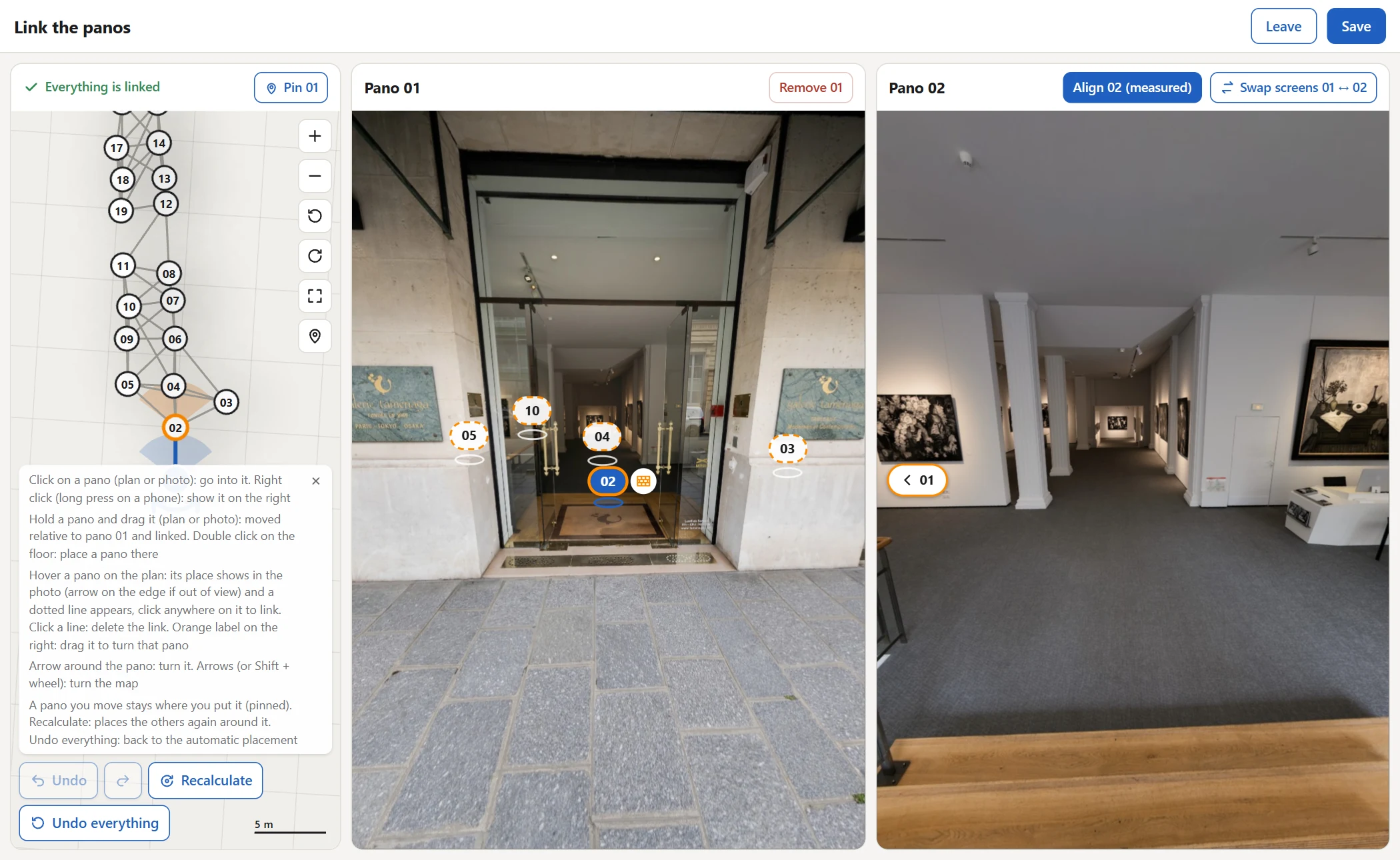
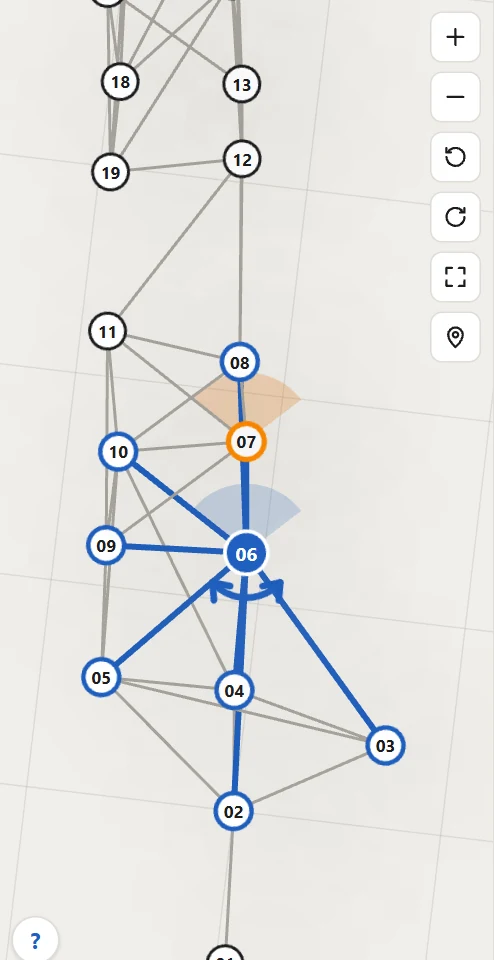
“Fix positioning” opens the plan of the tour next to two photos: on the left the pano you are in, on the right another pano. Each line of the plan is a passage visitors can take.
To open it: in My tours, click the tour, then “Fix positioning”, under “Customize the tour”. The same button sits at the top of the editor, in red while panos remain to be placed.
Place a pano
Hold a pano and drag it, on the plan or onto the floor in the photo, to where it was taken: it is placed relative to yours and linked. A double click on the floor places a pano exactly there.
- Panos without any link are listed under “To link (2)” at the top of the plan: click one to show it on the right.
- A click on a pano takes you into it; a right click (a long press on a phone) shows it on the right.
- A pano you move moves alone and stays where you put it: a pin shows it is pinned.
Align a pano in one click
Show on the right a pano that looks misplaced (right click on it). When its common points with your photo give its true place, “Align 02 (measured)” appears above its photo: one click puts it there.
No button: the measurement is not reliable enough, move the pano by hand.
Link, unlink, turn
Link
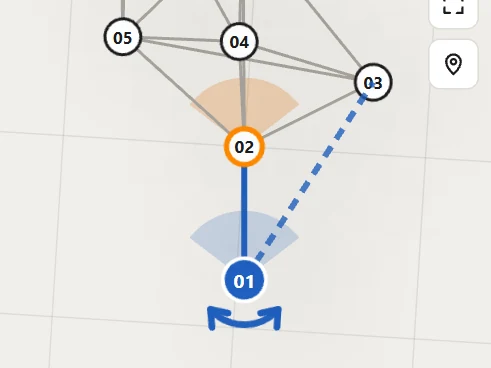
Hover a pano on the plan: a dotted line appears, click it to link the two panos.
Unlink
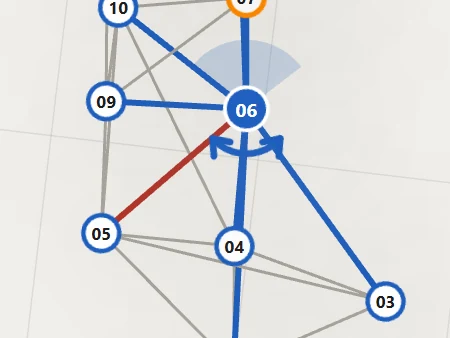
Click a line on the plan: the link is deleted.
Turn
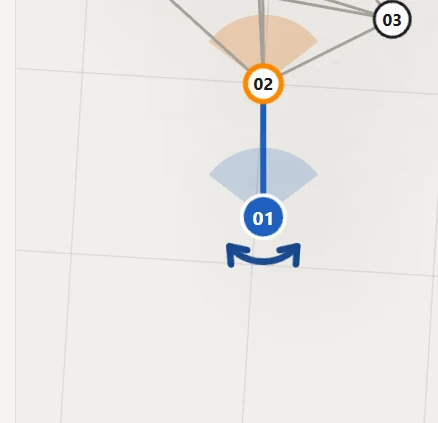
Drag the arrow around a pano on the plan; in the right photo, drag the orange label to turn the pano shown there.
Remove a pano
Photos taken twice at the same spot are removed automatically at the build; the last shot is kept.
A useless pano: go into it, then “Remove 05” above its photo takes it out of the tour without deleting anything. It stays in grey on the plan: click it, then “Bring 05 back”.

When everything is linked
“Everything is linked” replaces the list at the top of the plan. Click “Save”: the arrows and transitions are recalculated from your positions, then the tour editor opens again.
“Recalculate” places the other panos again around the pinned ones; “Undo everything” puts every pano back where the automatic placement put it.
“Undo” reverts the last change, the arrow next to it redoes it (Ctrl+Z, Ctrl+Shift+Z).
See it on your own panoramas
Upload the panoramas of a real shoot: the tour builds while you do something else.
A question about your panoramas: [email protected]