How do you make a 3D virtual tour with your phone or iPhone?
An iPhone has no 360 mode. Its 0.5x lens covers a whole room in 14 photos: taken on a panoramic head and stitched, they give a full 360 panorama, ceiling and floor included. A series of these panoramas becomes a 3D tour, with a dollhouse and a floor plan.
Try it free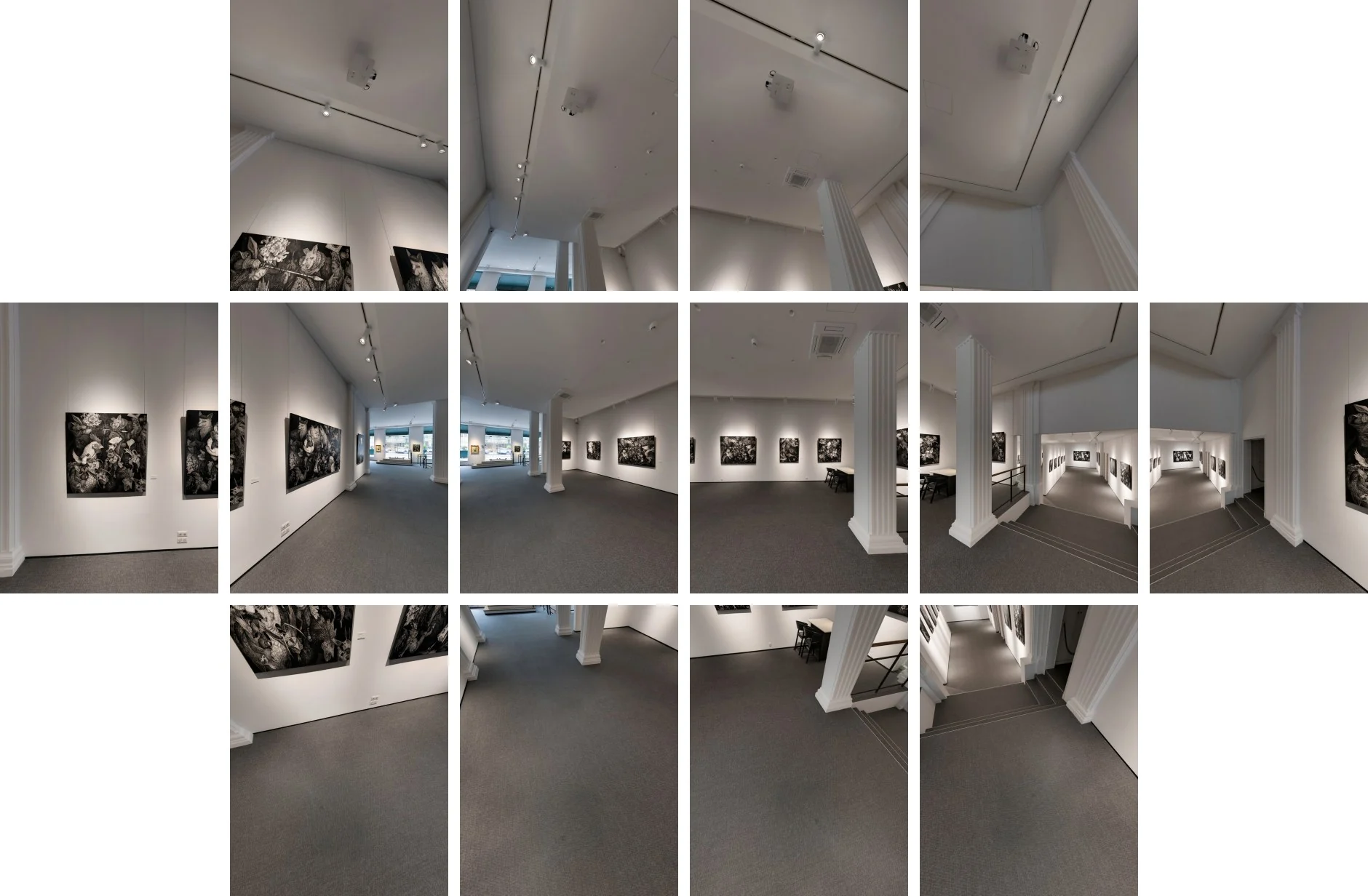
Why finish your iPhone panoramas in Virtuaaa
- Positions computed from the photos. Your stitched panoramas place themselves.
- 3D movement, dollhouse and floor plan built from those panoramas.
- The tripod removed and the floor redone on every panorama.
- $10 per tour you keep, paid once. The first one is free.
Can an iPhone take a 360 photo?
Not in one shot. Panorama mode records a horizontal strip, without the ceiling or the floor, and a virtual tour needs the whole sphere.
The Google Street View app, which many guides still recommend for photo spheres, ended on 21 March 2023, and Google removed Photo Sphere from the Pixel 8 camera in October 2023.
Panorama mode, a 360 app or a panoramic head: which gives a usable sphere?
| Method | Ceiling and floor | Seams on nearby objects | What you need |
|---|---|---|---|
| Panorama mode of the iPhone | A horizontal strip | Stretched edges | Nothing |
| 360 capture app, phone in hand | Full sphere | Shift at the seams, the lens moves between photos | An app |
| iPhone on a panoramic head | Full sphere | Clean, the phone turns around its lens | A head and holder, a tripod, stitching software |
iPhone is a trademark of Apple Inc.
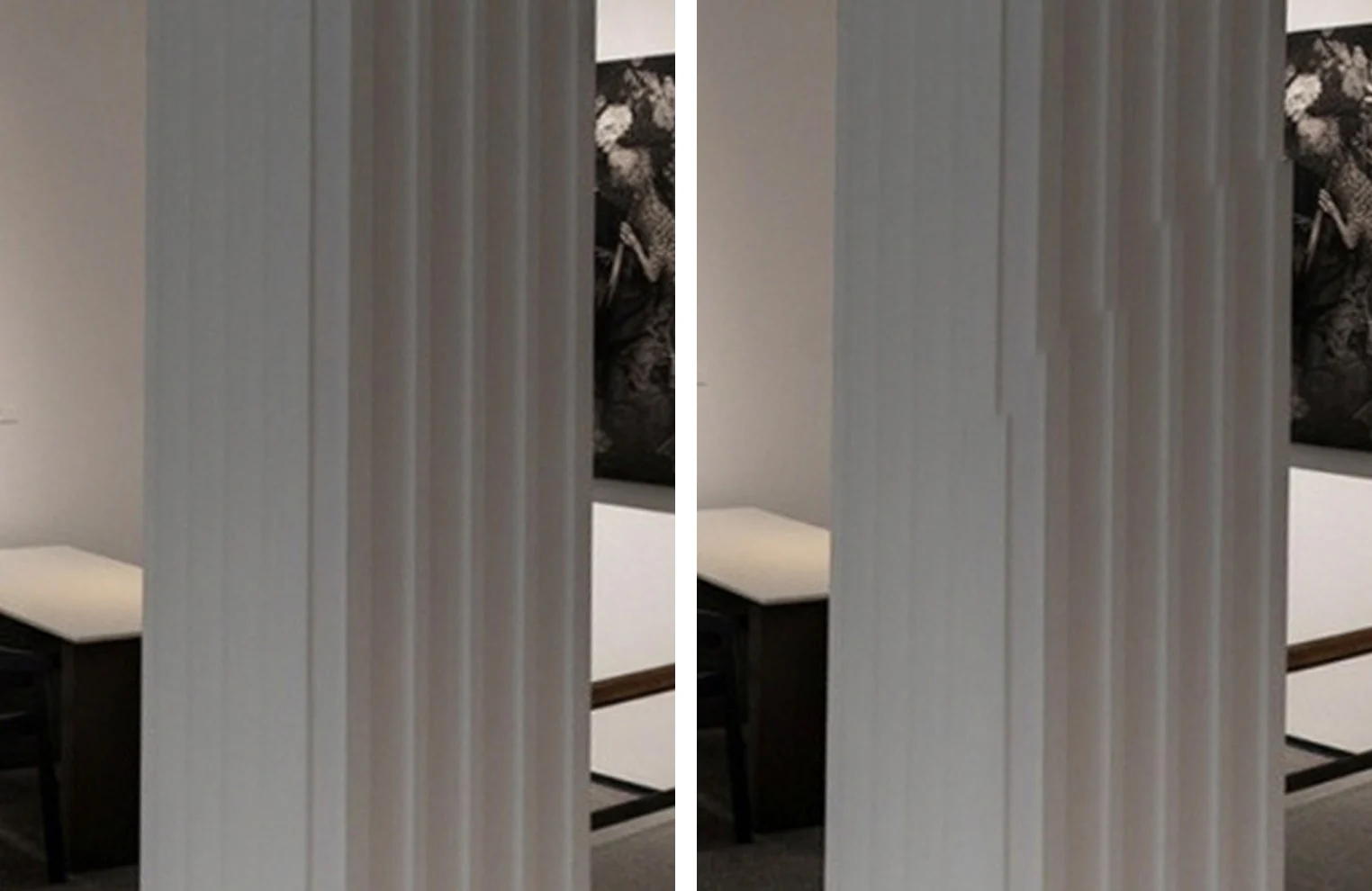
Why do handheld 360 photos break at the seams?
Because of parallax. The 0.5x lens sits in a corner of the phone: when the phone turns around its middle or around your hand, the lens moves, and a nearby object slides over the background from one photo to the next.
Far away, nothing shows; on a door frame or a table leg, the seam breaks.
A panoramic head shifts the phone so that the lens sits on both axes of rotation.
To check it, line up a nearby object in front of a distant one and turn the head: if they slide apart, move the phone forwards or backwards until they stay aligned.
Which iPhone and what gear do you need?
- An iPhone with the 0.5x ultra-wide lens: iPhone 11 and later, except the SE, 16e, 17e and Air, which have a single rear camera. An Android phone with an ultra-wide lens works the same way.
- No LiDAR: the photos are enough for the panoramas and the tour.
- A panoramic head made for phones, such as the Nodal Ninja Mini for Smartphones ($119.95) with its Phone Holder Pro ($69.95, phones 59 to 92 mm wide); prices on nodalninja.com in October 2026, before shipping.
- A light tripod, set to the same height at every viewpoint.
How do you shoot one viewpoint with an iPhone?
Phone upright, on the 0.5x lens, from one click stop of the head to the next: 6 photos level, one every 60°, then 4 tilted up by 60° and 4 tilted down by 60°, one every 90°.
The 4 photos towards the floor show the tripod; it is removed when the tour is built.
- In Settings, Camera: keep Lens Correction on, and turn Macro Control off if your iPhone has it, so the phone stays on the same lens.
- Lock the exposure on the 0.5x lens: press and hold the screen until “AE/AF Lock” appears, so all 14 photos get the same light.
- Flash off. Keep people and doors still until the last photo.
How do you stitch the photos into a 360 panorama?
In a stitching program: Hugin, free and open source, or PTGui. Load the 14 photos of one viewpoint, let the program find the overlaps, and export an equirectangular JPEG in the 2:1 format. That is the image a tour needs, one per viewpoint.
How do the panoramas become a 3D tour?
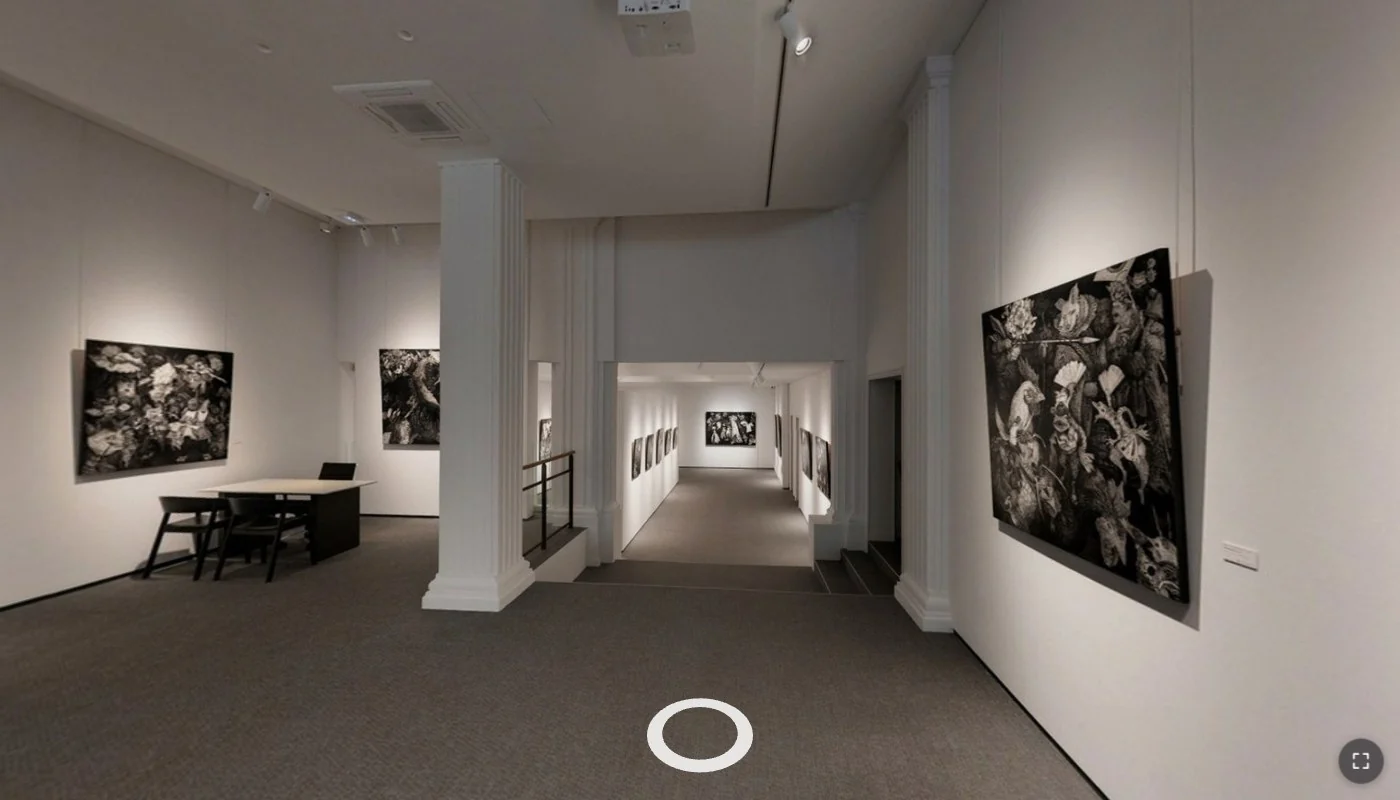
Upload all the panoramas of the place together. Virtuaaa computes where each one was taken from the photos themselves, puts a circle on the floor at each viewpoint, and a click on a circle moves the view forward in 3D.
The tripod is removed and the floor redone on every panorama; the tour comes with its dollhouse, and a 2D floor plan for a place on one level.
Give the camera height when you upload: it sets the scale of the plan. Viewpoints less than 2 metres apart link almost every time; between 3 and 4 metres, a little more than one in two.
Everything else is in the full guide to a 3D tour.
3D virtual tour with an iPhone: the questions people ask
Can you take a real 360 photo with an iPhone?
Yes, in several photos: 14 photos on the 0.5x lens cover everything from ceiling to floor, and stitching turns them into one full 360 panorama. The iPhone has no built-in 360 mode.
Is iPhone Panorama mode enough for a virtual tour?
No: it records a horizontal strip, without the ceiling or the floor.
What replaced the Google Street View app for 360 photos?
Support for the app ended on 21 March 2023. 360 capture apps on the App Store, a panoramic head with your phone, or a 360 camera.
Do I need an iPhone with LiDAR?
No. The photos of the 0.5x lens are enough for the panoramas and the tour.
Why the 0.5x lens and not the 1x?
The 0.5x lens sees about twice as wide, so 14 photos cover the whole room.
Can I shoot by hand, without a panoramic head?
The panorama stitches, but nearby objects shift at the seams, because the lens moves between photos. A panoramic head or a 360 camera gives clean seams.
Your iPhone can already make a 3D tour
Upload the panoramas of a first room: the first tour is free.
A question about your files? [email protected]
More articles
 How do you make a good 3D virtual tour?Where to place each panorama, how far apart, what to do in doorways and on stairs: the rules of a shoot that links by itself.
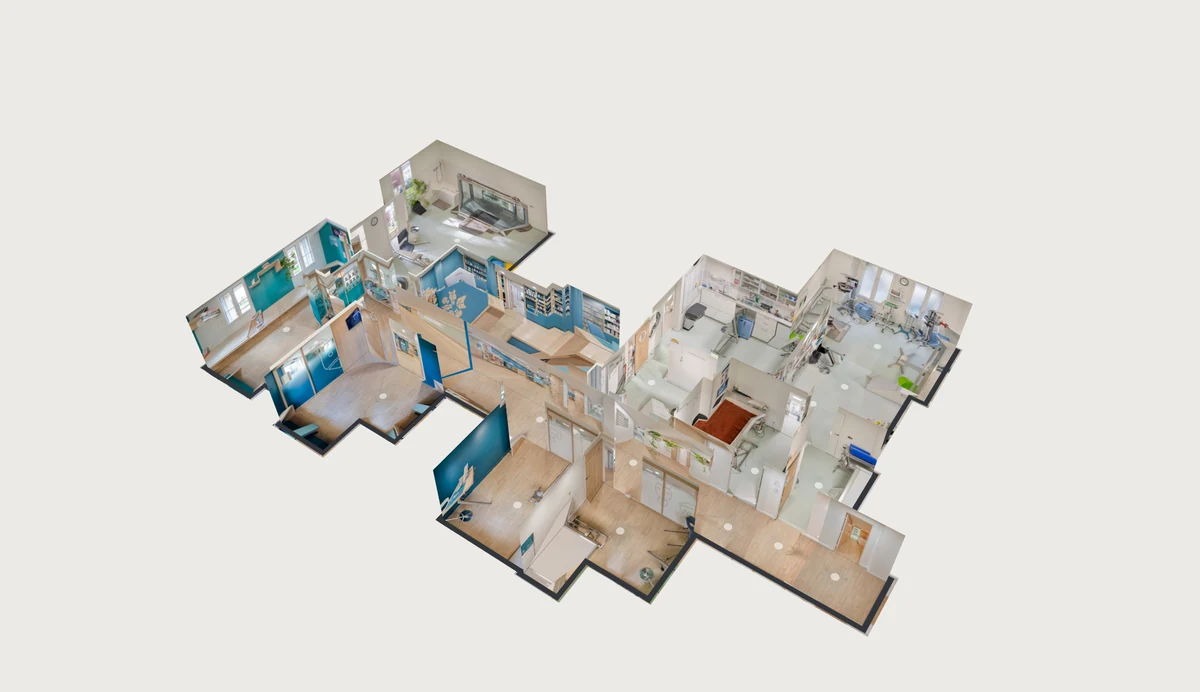 What is the best Matterport alternative?Moving in 3D, the dollhouse and the plan from your own 360 camera: how each part is made, and twelve tools compared with their prices.
 What is the best software to create a 3D virtual tour?Twelve tools compared, with their prices and a tour to open for each, and what 10 tours kept for 3 years cost.
 How do you stitch a perfect drone panorama automatically?Broken seams, a hole in the sky, a tilted horizon: the causes, the manual fixes, and the stitching that corrects it all automatically.